Staking is one of the easiest ways to put your crypto to work and earn rewards over time.
On Bitcoin.me, you can stake ecosystem tokens directly from your self-custody wallet — keeping full control of your assets at all times.
This guide will walk you through the simple steps to stake your tokens using the Klever Extension.
Before You Start
Make sure your Klever Extension is:
Unlocked
Funded
Connected to the Bitcoin.me platform
Once everything is ready, you’re good to go.
Step 1: Go to the Staking Section
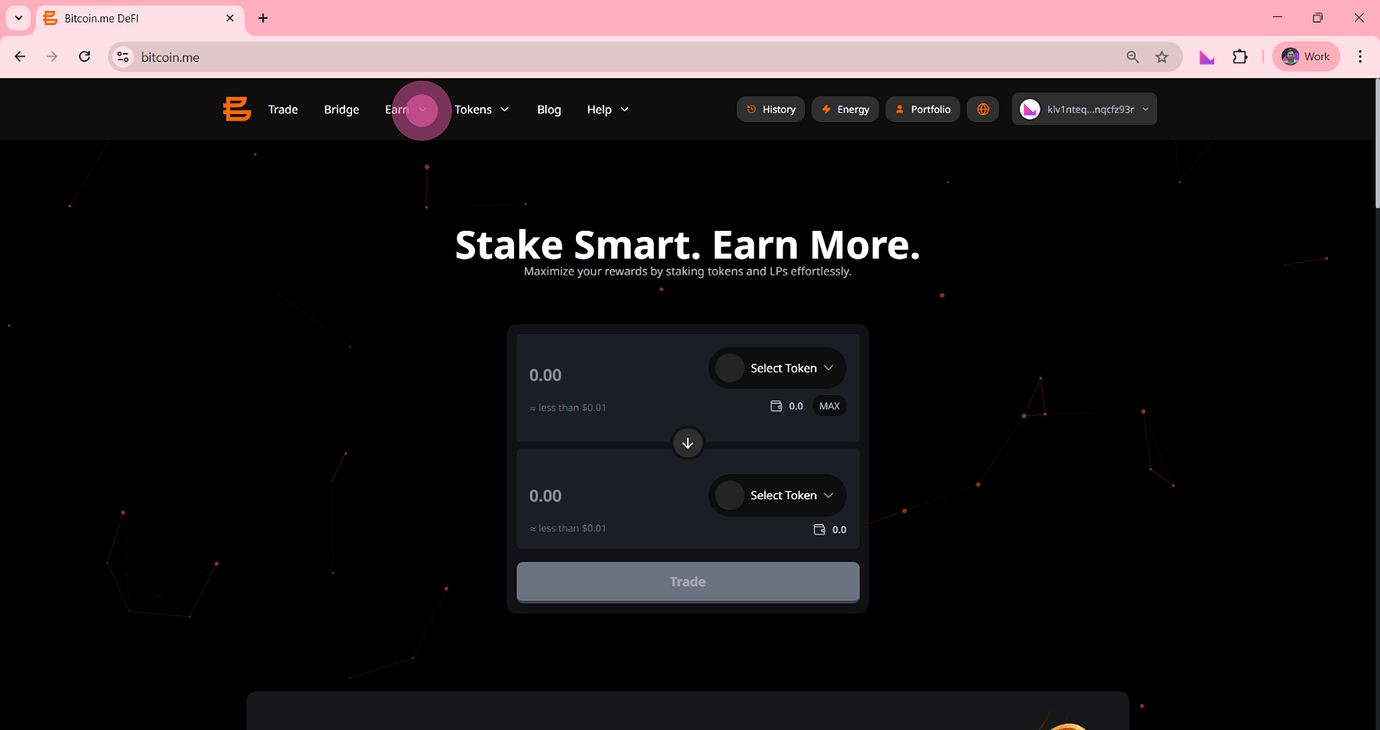
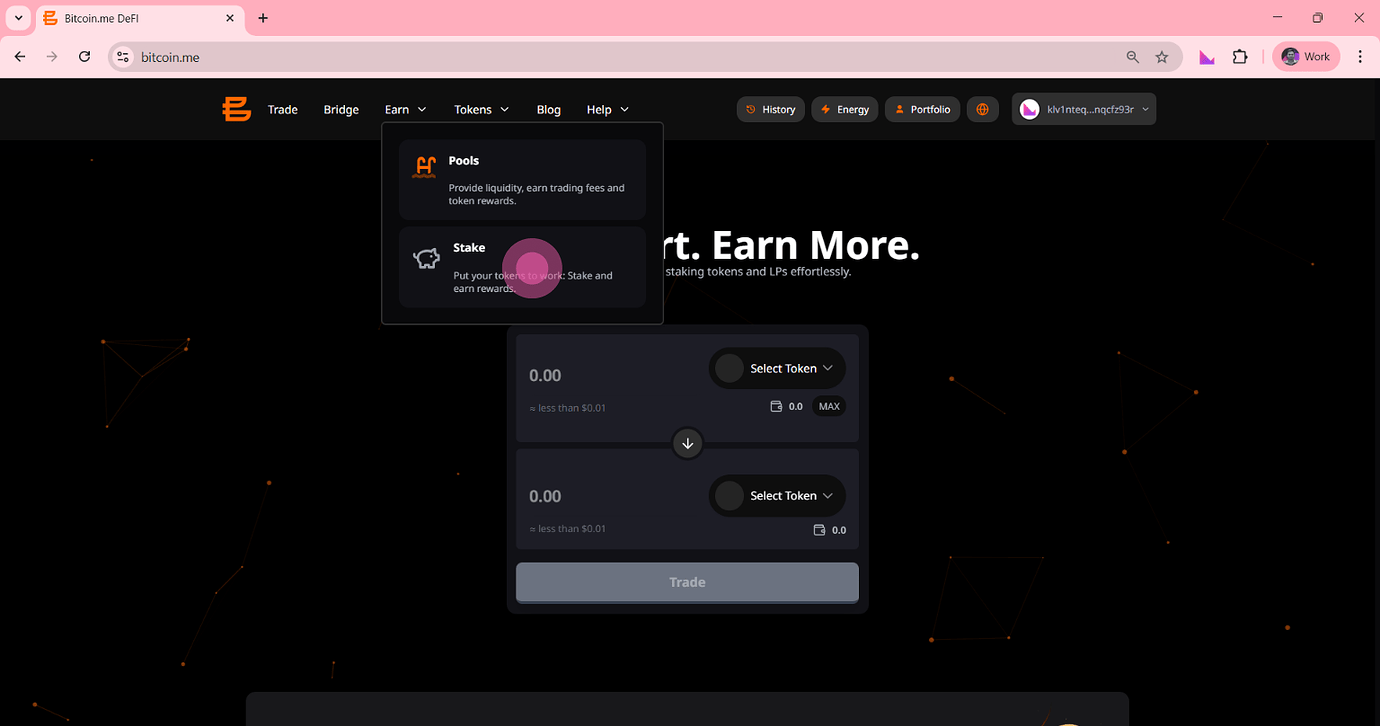
On the top navigation bar of the Bitcoin.me DEX, click on:
Earn → Stake
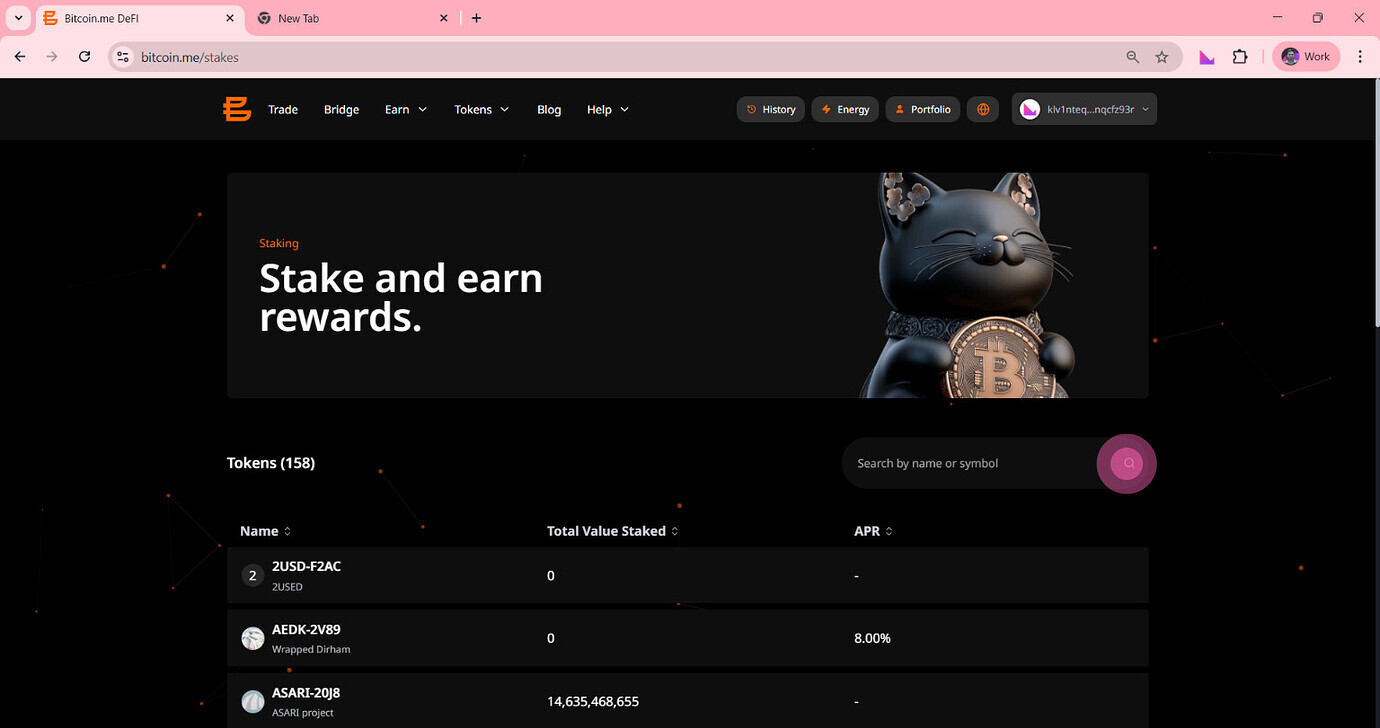
This will take you to the staking dashboard, where you can see all available tokens and opportunities.
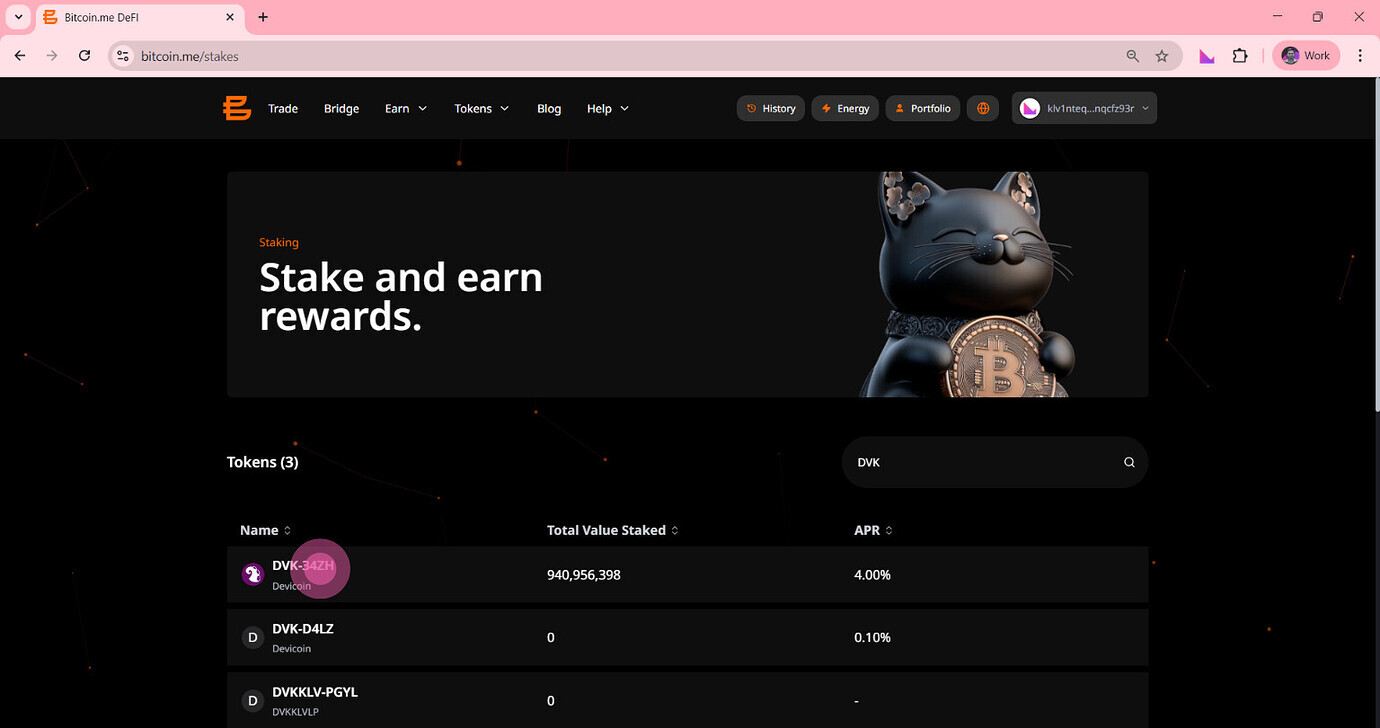
Step 2: Choose the Token You Want to Stake
You’ll see a list of tokens available for staking, along with useful information such as:
Total Value Staked
Current APR
Token availability
You can scroll through the list or use the search bar to quickly find a specific token, such as DVK.
Once you find the token you want, click on it to continue.
Step 3: Enter the Amount to Stake
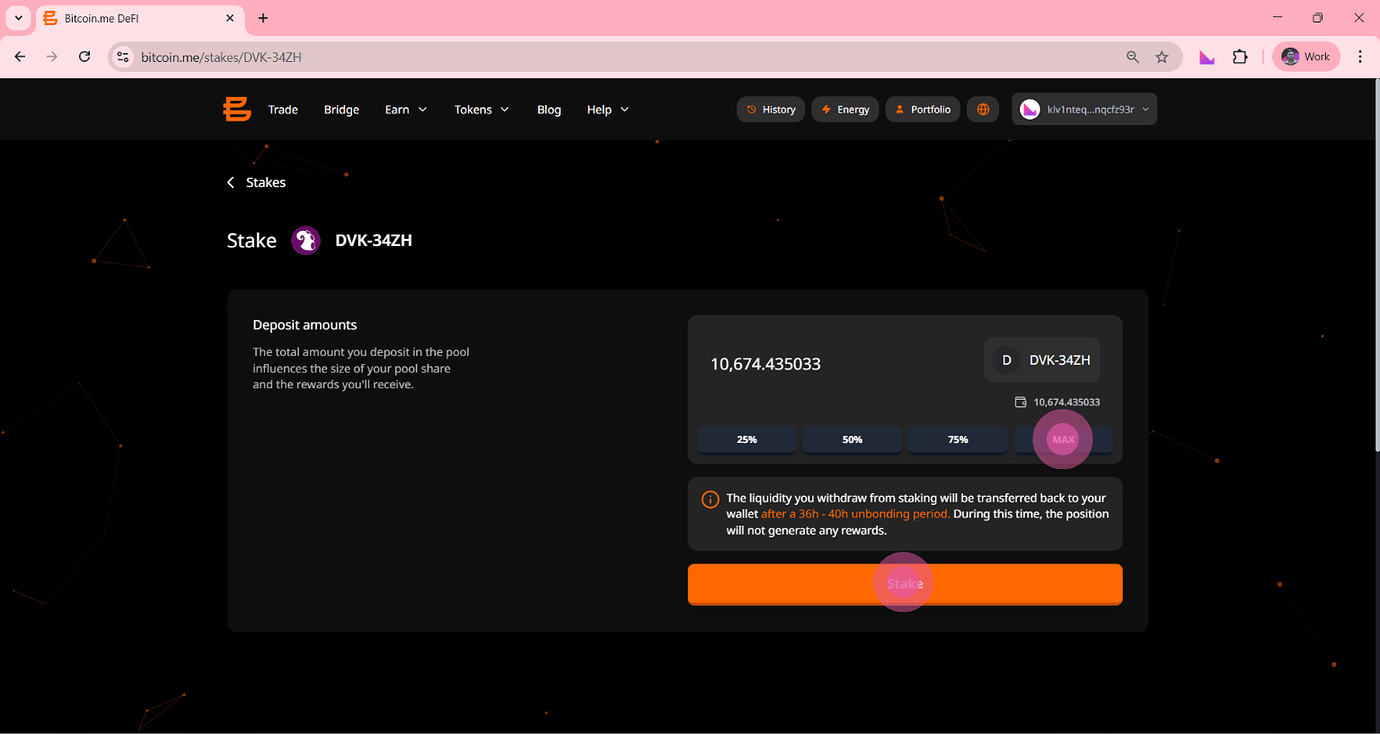
On the token’s staking page, simply enter how much you want to stake.
You can:
Type the exact amount
Or use the quick buttons:
25% · 50% · 75% · MAX
Important
Pay attention to the unbonding period shown below the amount.
When you decide to withdraw your tokens, it will take some time (for example, 36 to 40 hours) for them to return to your wallet.
During this period, your tokens will not generate rewards.
Step 4: Confirm Your Stake
After entering the amount, click the orange Stake button to proceed.
Step 5: Sign the Transaction
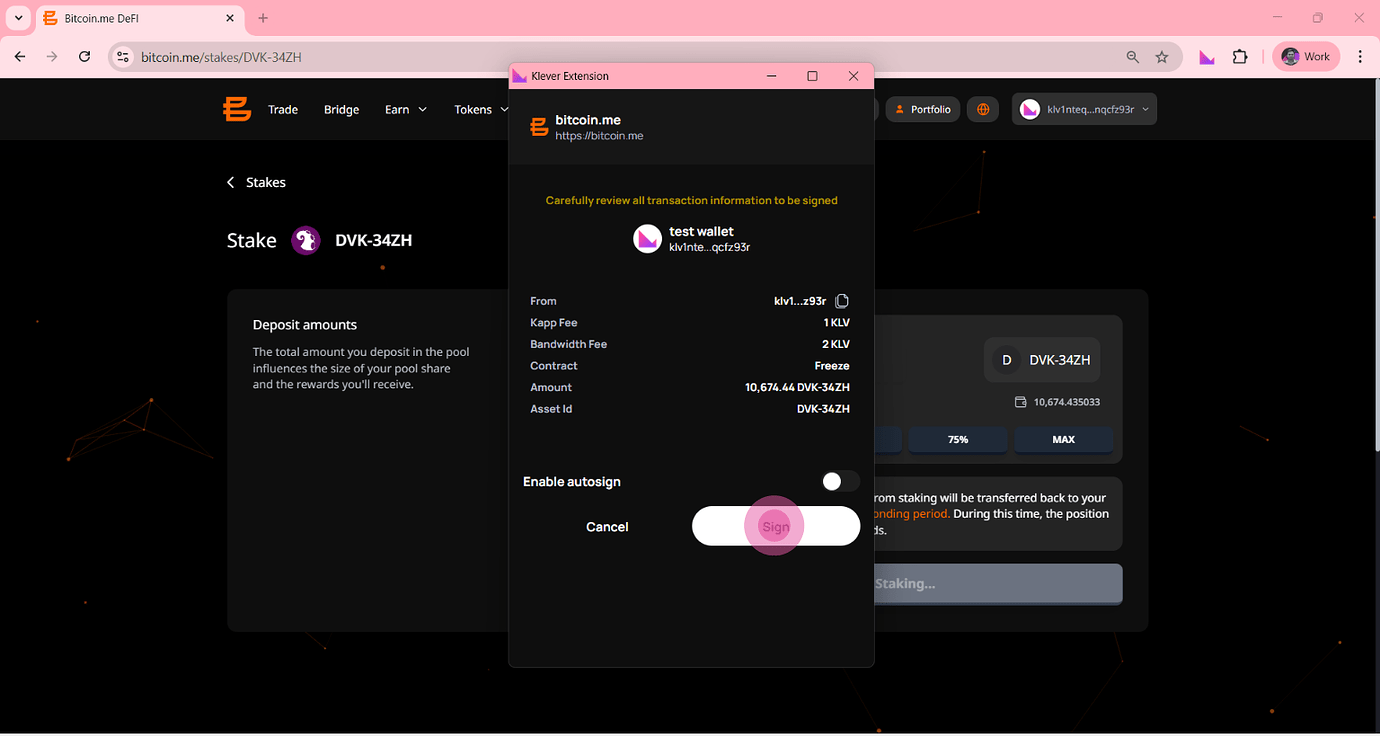
Your Klever Extension will automatically open.
Before confirming, review the transaction details, including:
The contract type (should be Freezed)
Kapp fees
Bandwidth fees
If everything looks correct, click Sign to complete the process.
Step 6: Success — You’re Now Staking
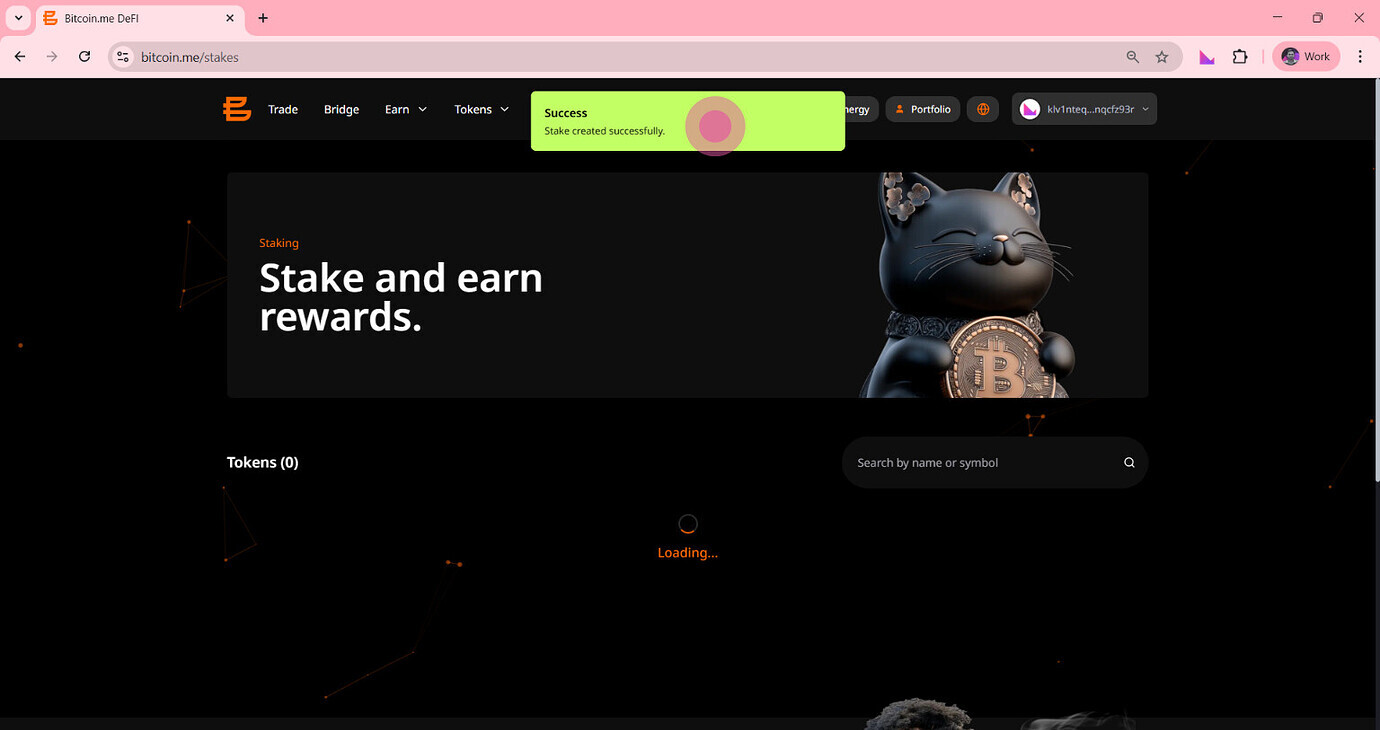
Once the blockchain processes the transaction, you’ll see a green confirmation message:
"Stake created successfully."
Your tokens are now staked and will begin generating rewards.
Final Tip
Staking is a simple way to grow your crypto while staying in full control of your funds. Start small, monitor your rewards, and explore different tokens available on Bitcoin.me.