The Energy feature on Bitcoin.me allows you to lock tokens (like KFI) to increase your account’s energy capacity and earn weekly rewards from the platform.
When you create an energy position — also known as a Battery Cell — your tokens are converted into a locked asset (for example, XKFI) for a selected period. The longer the lock duration, the higher your energy level and potential rewards.
In this guide, you’ll learn how to:
Add Energy (create a Battery Cell)
Enable your weekly rewards
Remove Energy and unlock your tokens
What is Energy on Bitcoin.me?
Energy is a system designed to reward long-term participation in the ecosystem.
By locking tokens:
You increase your account energy capacity
You qualify to receive a share of platform rewards
You support the liquidity and sustainability of the network
You remain in full control of your assets
This mechanism helps create a more stable and rewarding DeFi environment for users.
Part 1 — How to Get Energy (Create a Battery Cell)
Before starting, make sure:
Your Klever Extension is connected
You hold the token you want to lock (e.g., KFI)
You have a small amount of KLV for network fees
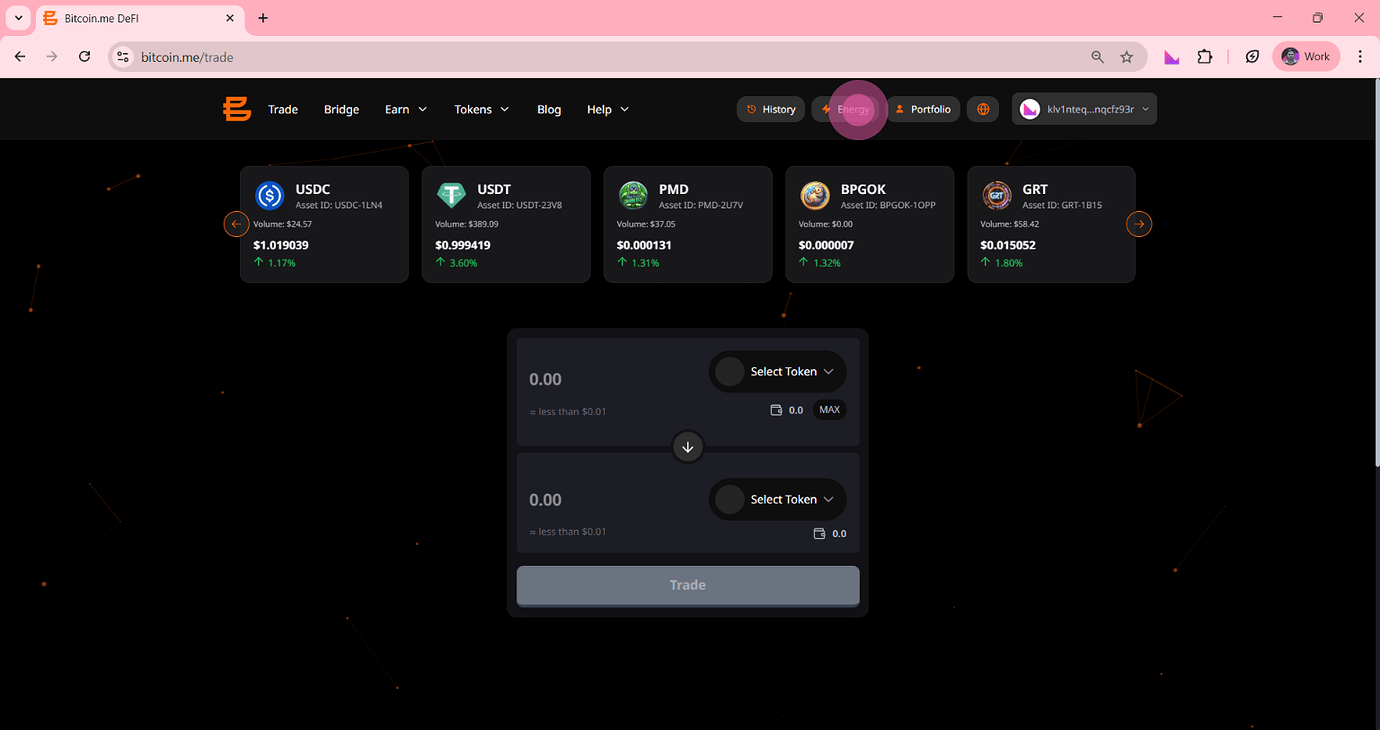
Step 1: Go to the Energy Page
On the top navigation bar of the Bitcoin.me DEX, click the “Energy” button.
Step 2: Start a New Energy Position
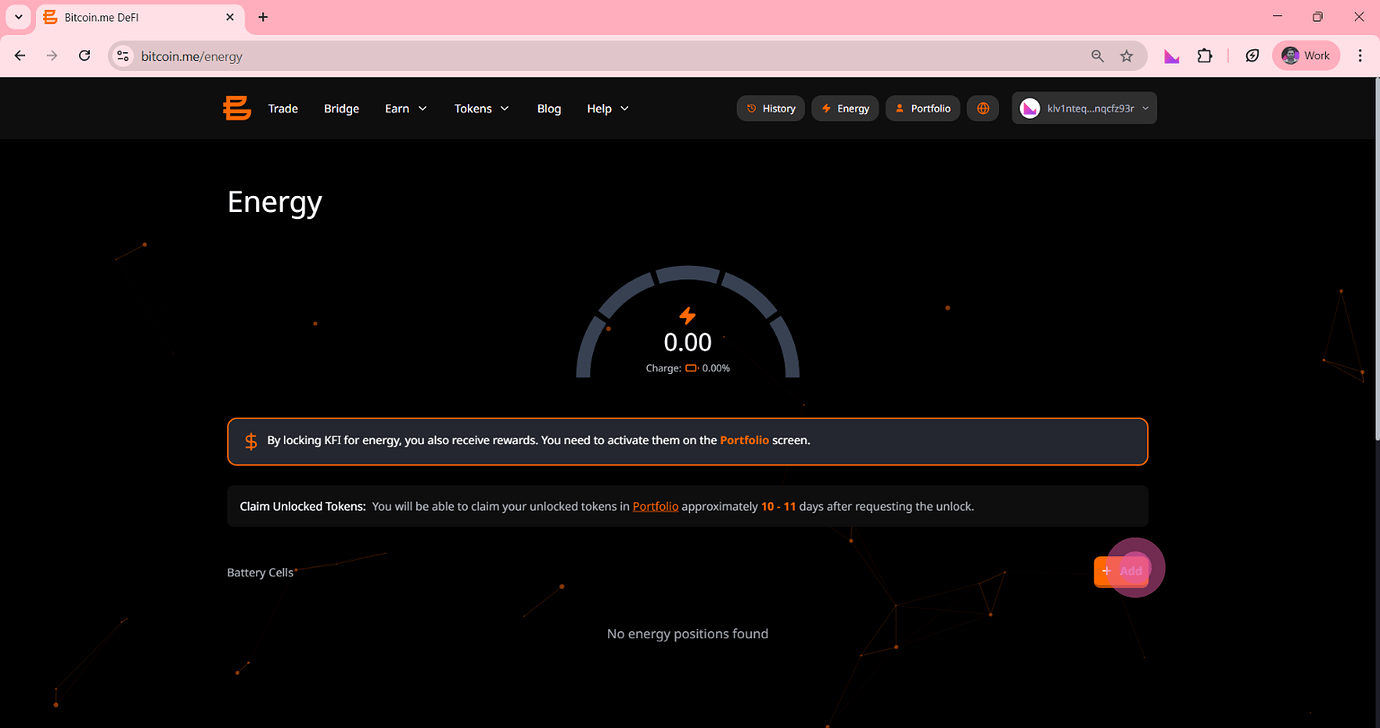
Inside the Energy dashboard, locate the Battery Cells section.
Click the orange “+ Add” button.
Step 3: Select Token and Amount
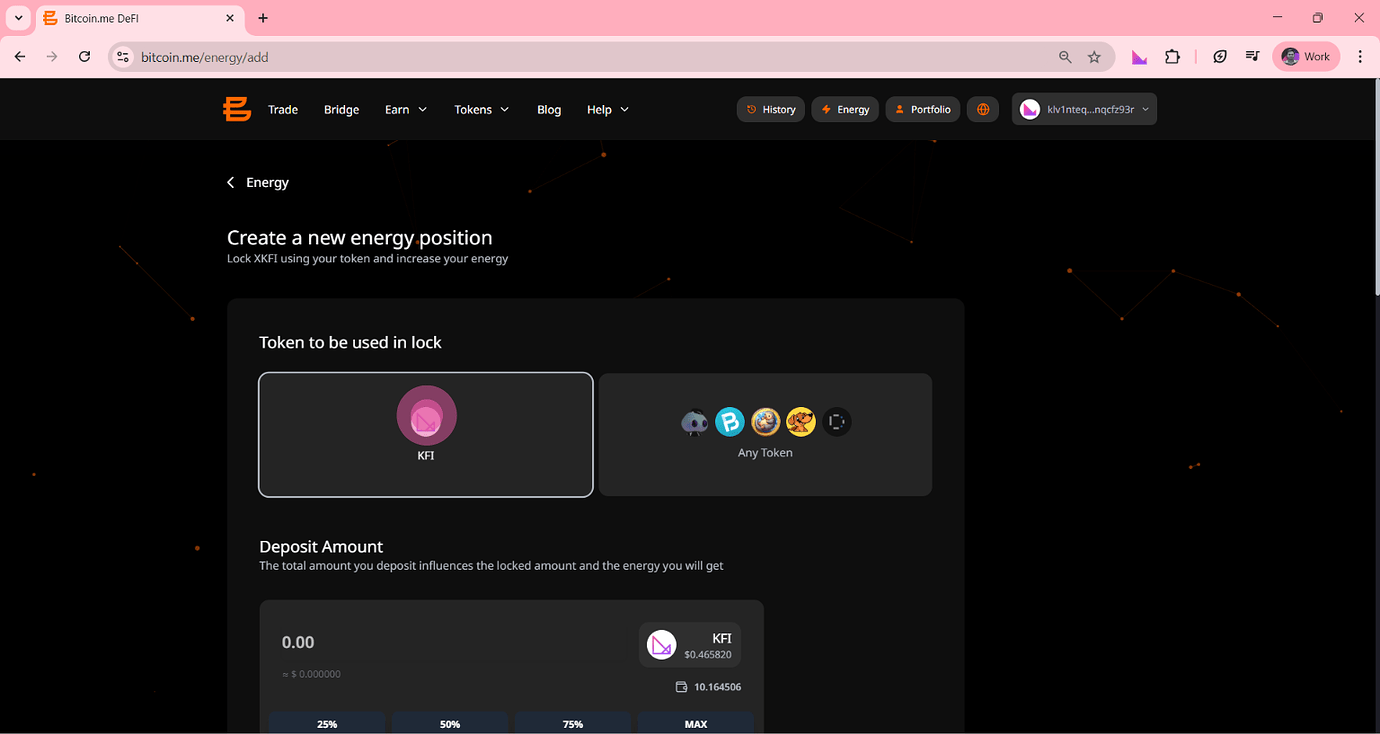
On the Create a new energy position page:
Choose the token you want to lock (for example, KFI).
Then scroll to Deposit Amount and enter the amount you want to lock.
You can:
Type the value manually
Use quick selection buttons
25%
50%
75%
MAX
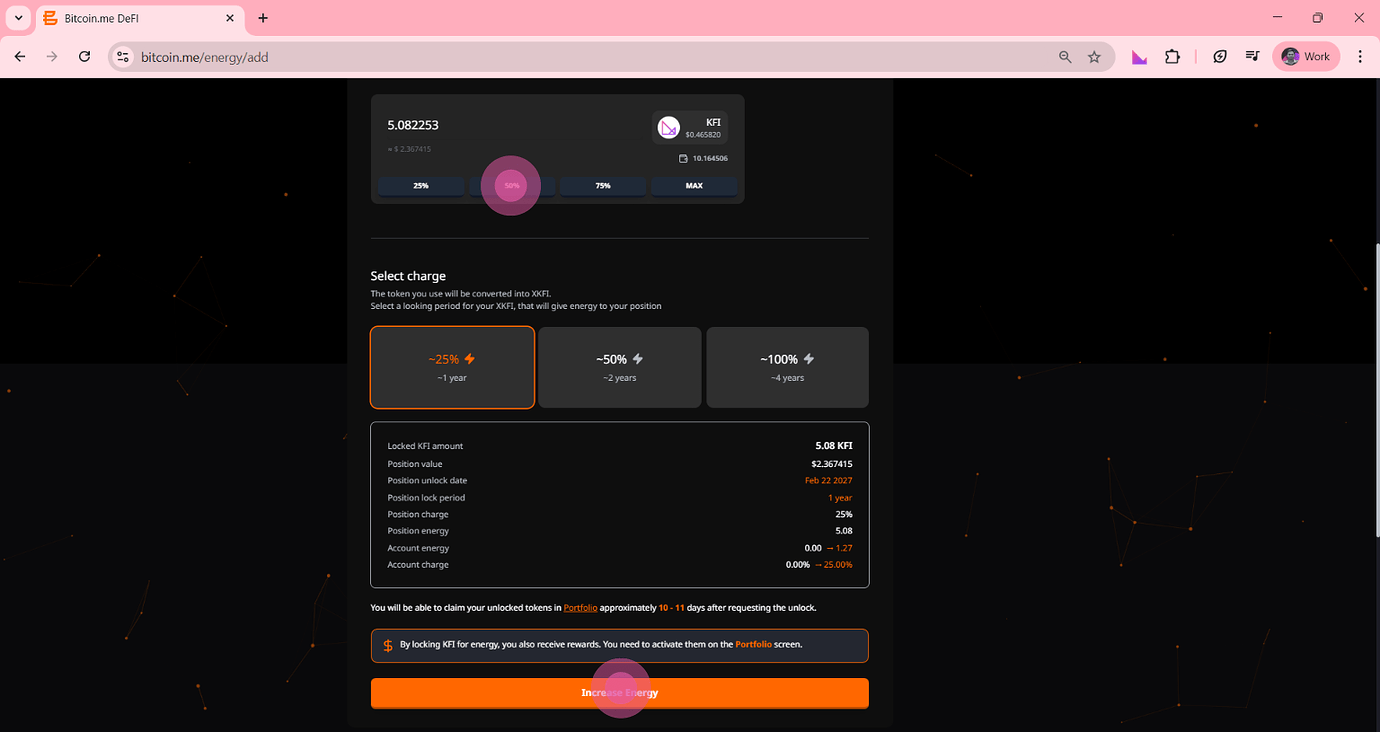
Step 4: Choose the Lock Period (Charge)
Scroll down to the Select charge section.
Here, you choose how long your tokens will remain locked.
In general:
1 year → ~25% energy
2 years → ~50% energy
4 years → ~100% energy
Longer lock periods typically generate higher rewards.
Step 5: Confirm and Increase Energy
Review the details of your position:
Lock date
Energy amount
Account charge
If everything looks correct, click:
Increase Energy
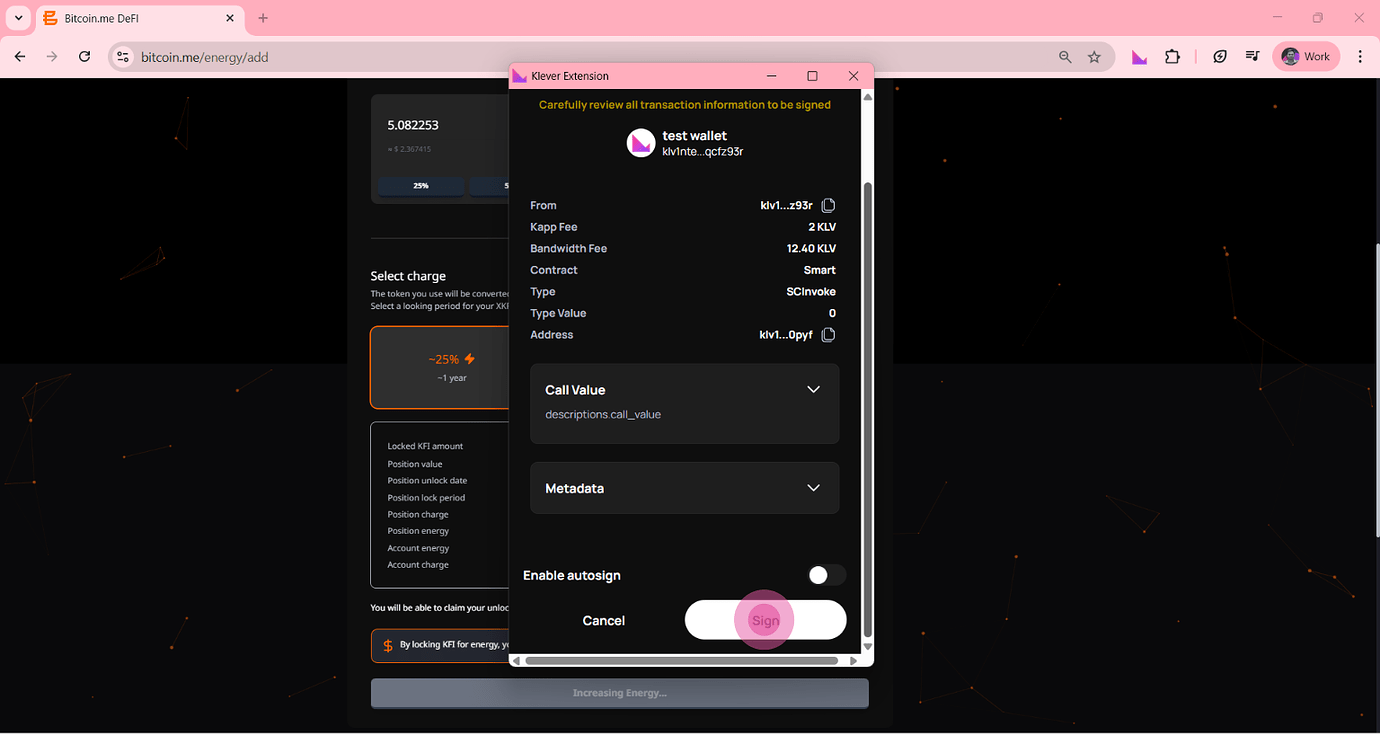
Step 6: Sign the Transaction
Your Klever Extension will open.
Review:
Kapp fee
Bandwidth fee
Then click:
Sign
Your energy position will now be successfully created.
Part 2 — How to Enable Energy Rewards
After creating your energy position, rewards are not automatically activated.
You must enable them manually.
This is a common step that users miss — so pay attention here.
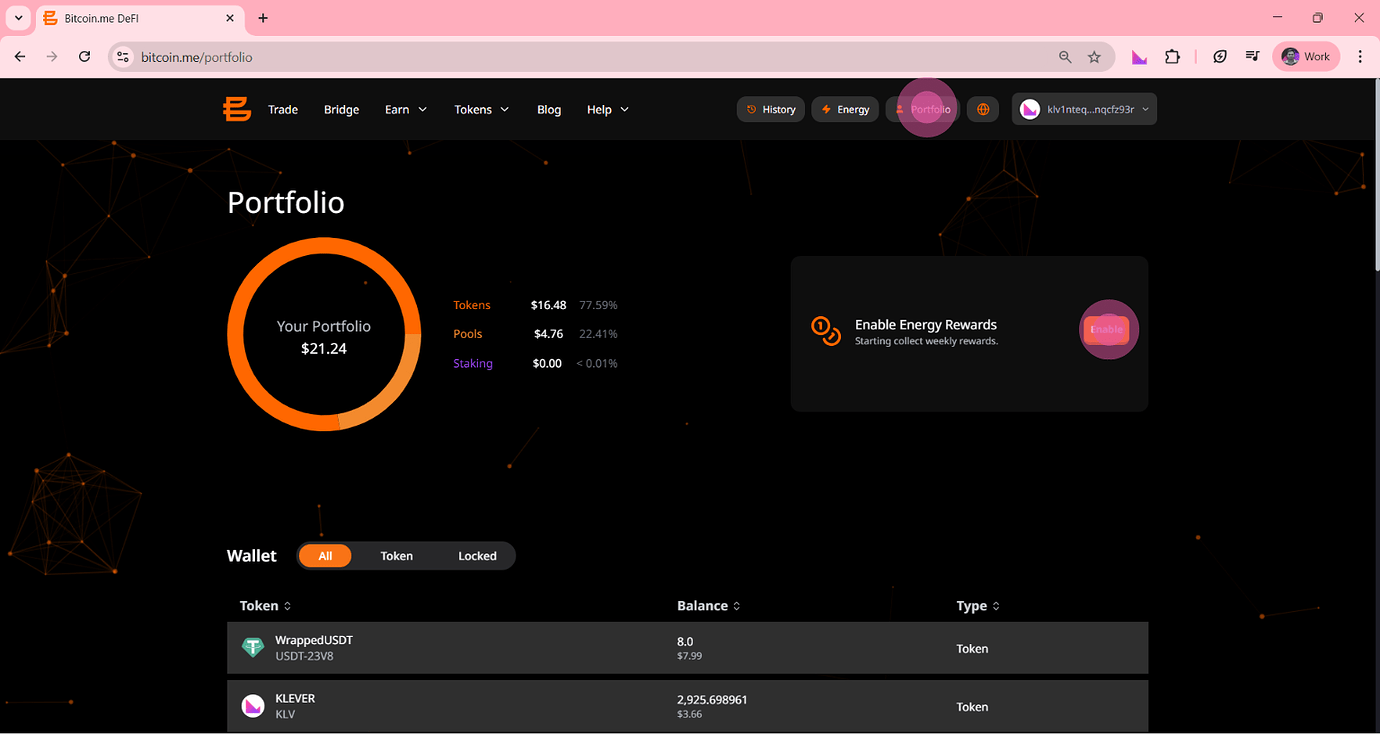
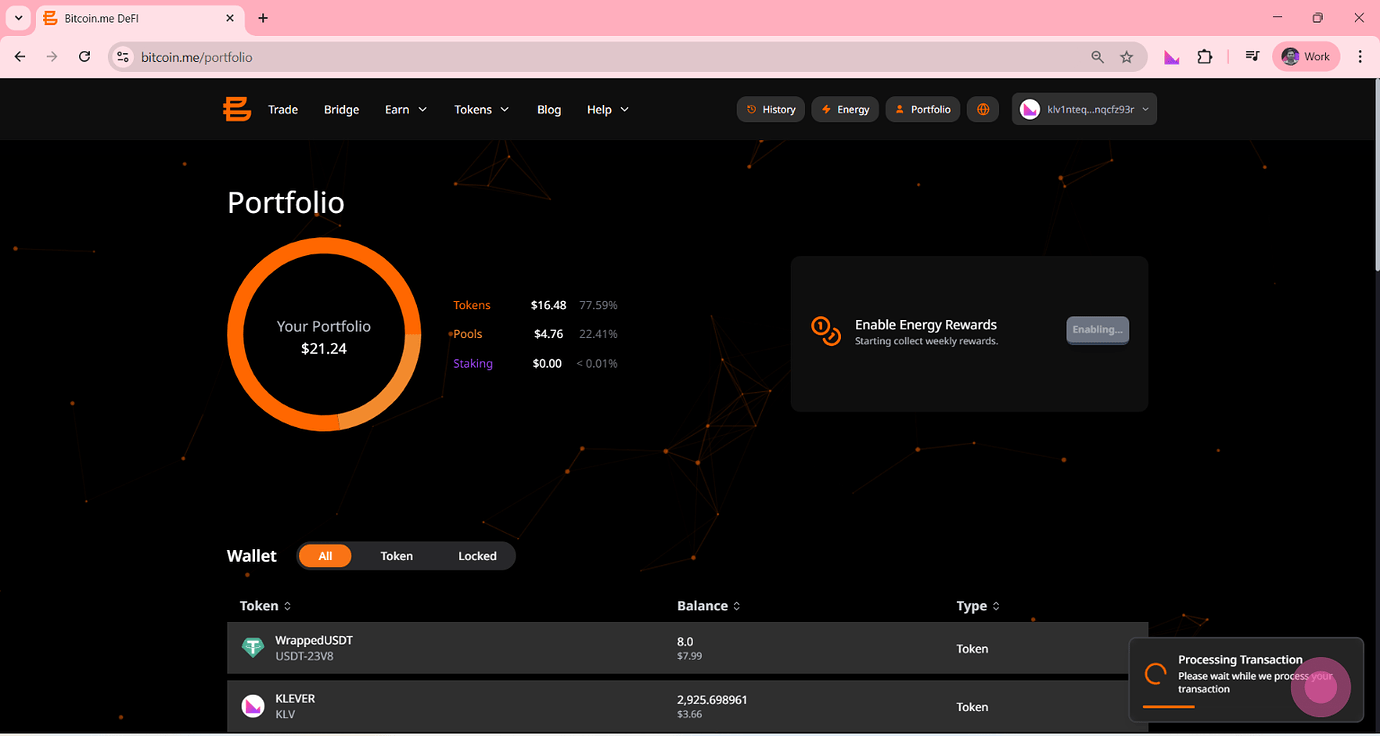
Step 1: Go to Your Portfolio
Click the “Portfolio” button in the top navigation menu.
Step 2: Enable Rewards
On the right side of your Portfolio dashboard, find the section:
Enable Energy Rewards
Click the “Enable” button.
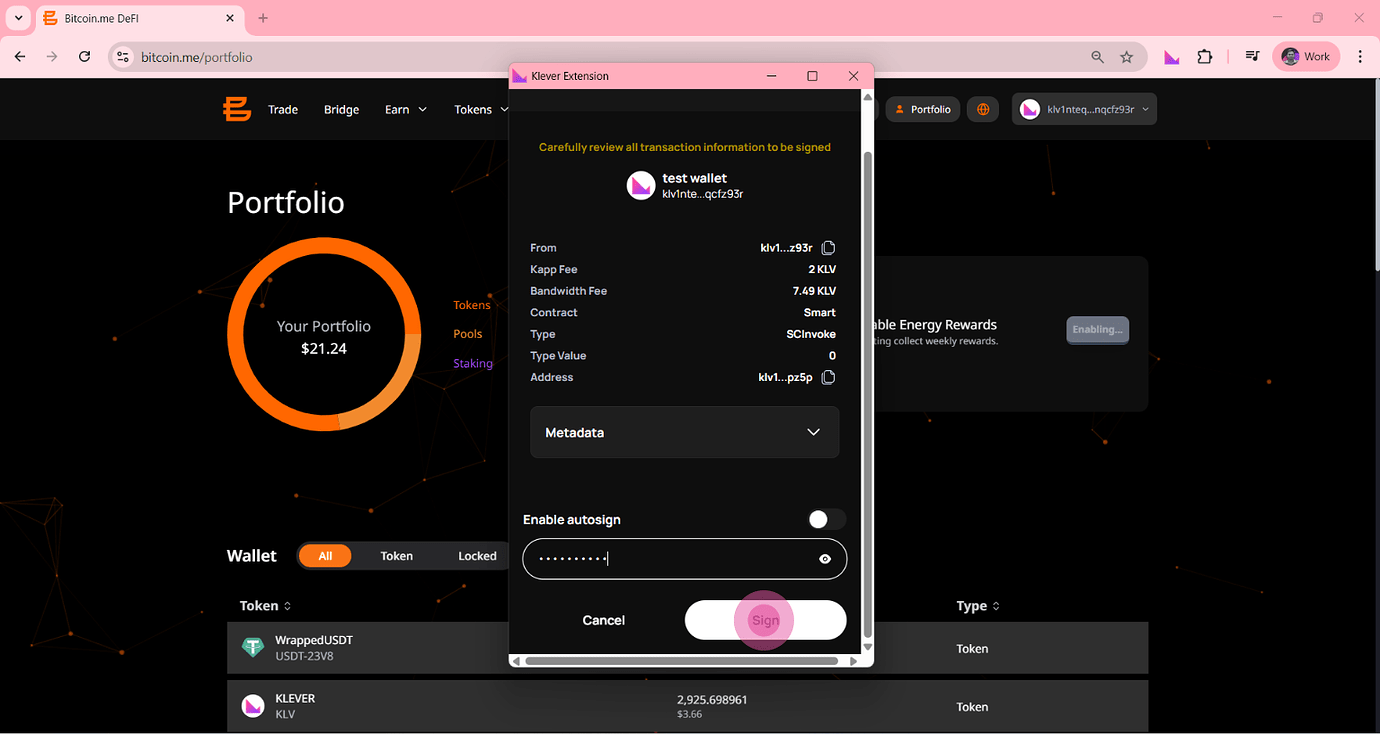
Step 3: Sign the Transaction
Your Klever Extension will open again.
If required:
Enter your password
Review the contract details
Click Sign
Step 4: Wait for Confirmation
You will see a notification:
Processing Transaction
Once confirmed by the blockchain:
Your rewards are successfully activated.
Part 3 — How to Remove Energy and Unlock Tokens
You can remove your energy position when:
The lock period expires
You decide to start the unlock process
Important: Unlock Waiting Period
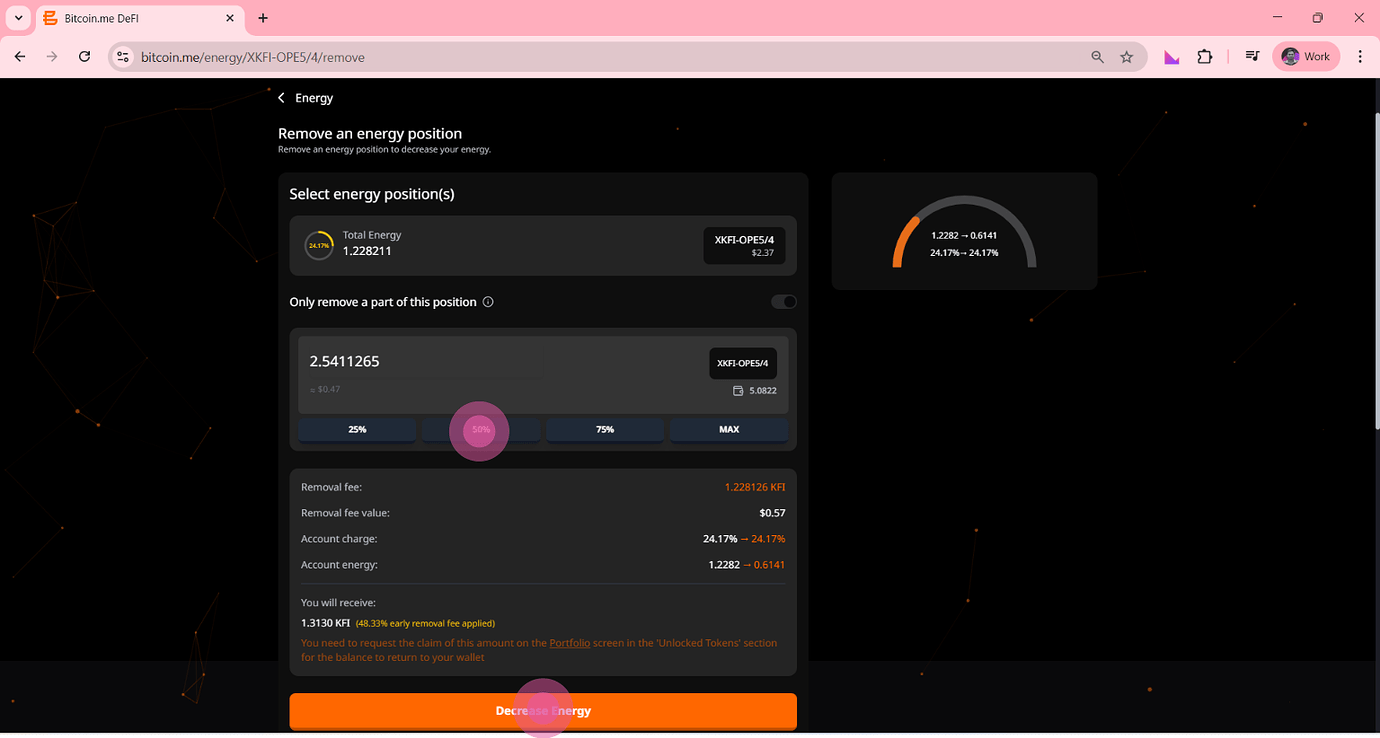
After requesting removal, there is a mandatory waiting period.
You will be able to claim your tokens approximately:
10 to 11 days after requesting the unlock
This delay is part of the system design and helps maintain network stability.
Step 1: Return to the Energy Page
Go back to the Energy section from the top menu.
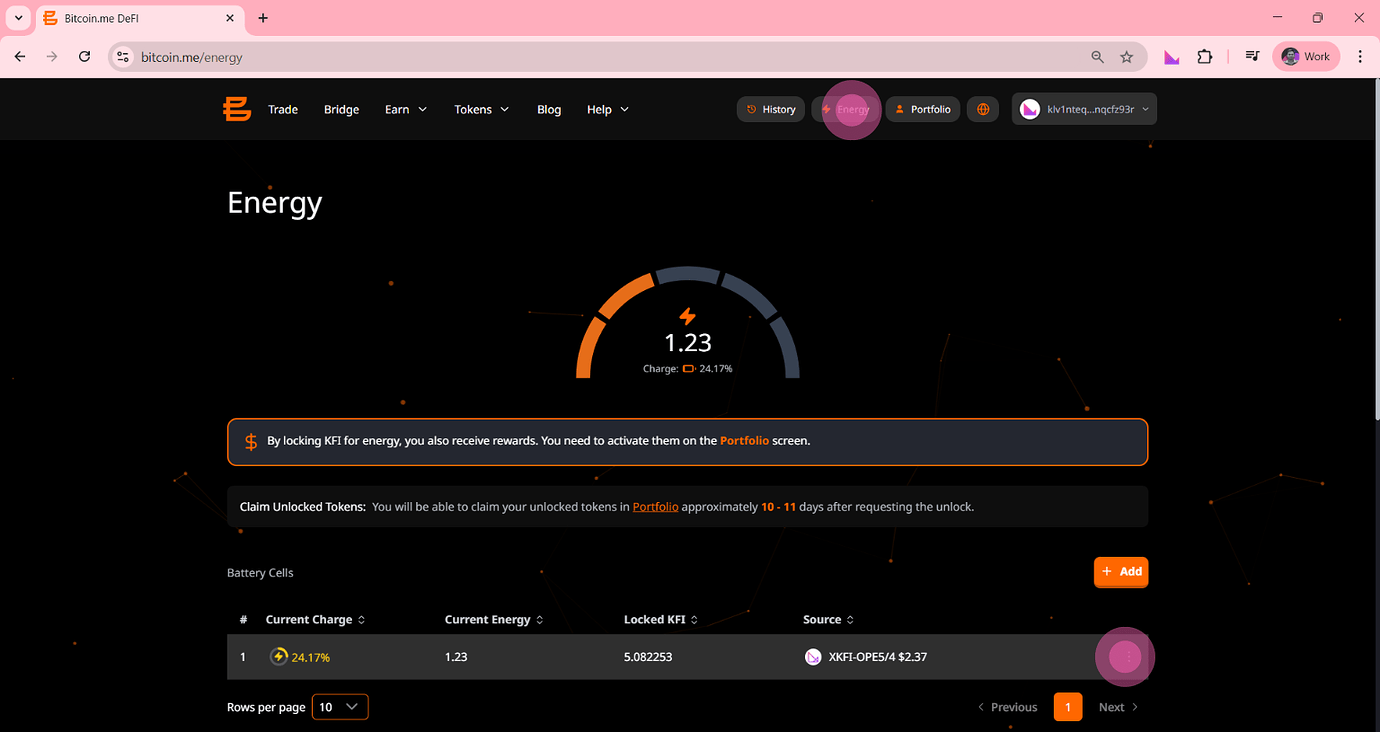
Step 2: Find Your Battery Cell
Scroll down until you see the list:
Battery Cells
This is where your active positions are displayed.
Step 3: Open Options
Click the three-dot menu icon:
⋮
Located on the right side of the energy position you want to remove.
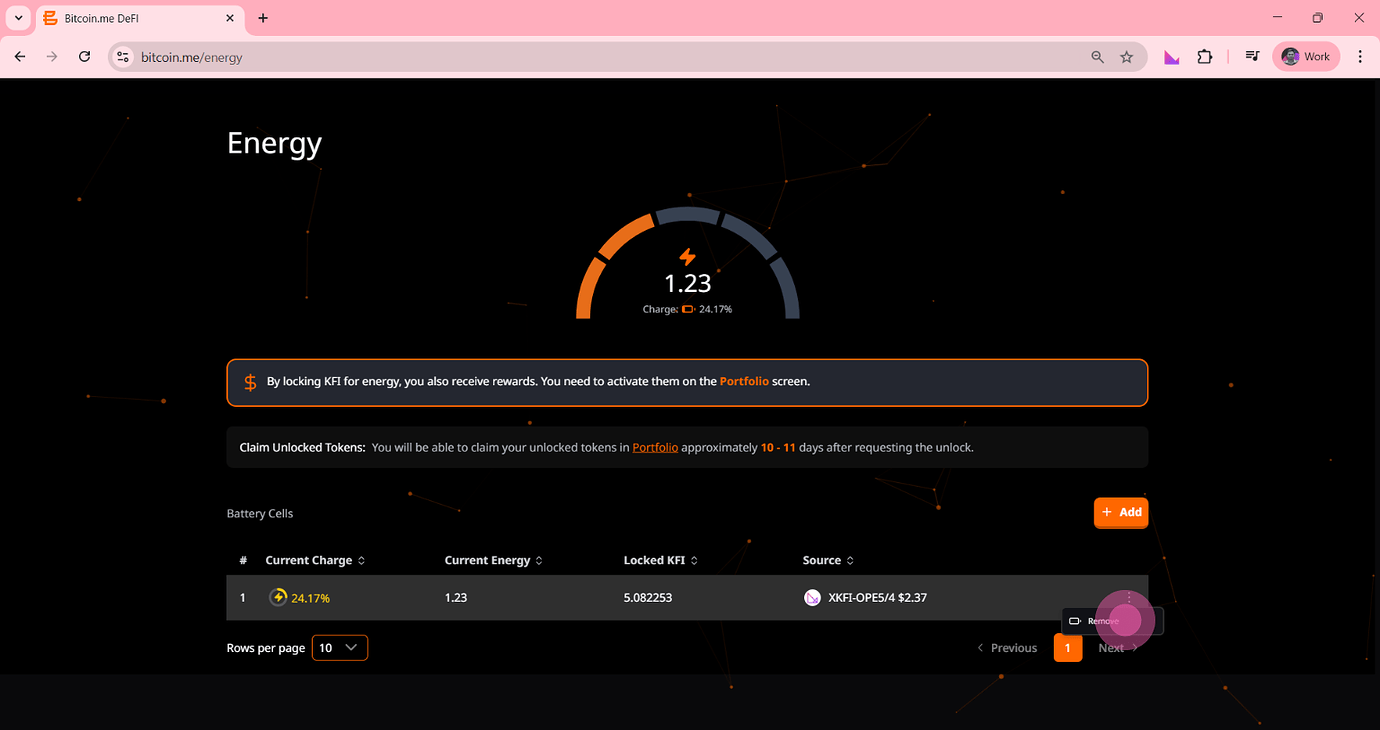
Step 4: Remove the Position
Click:
Remove
From the dropdown menu.
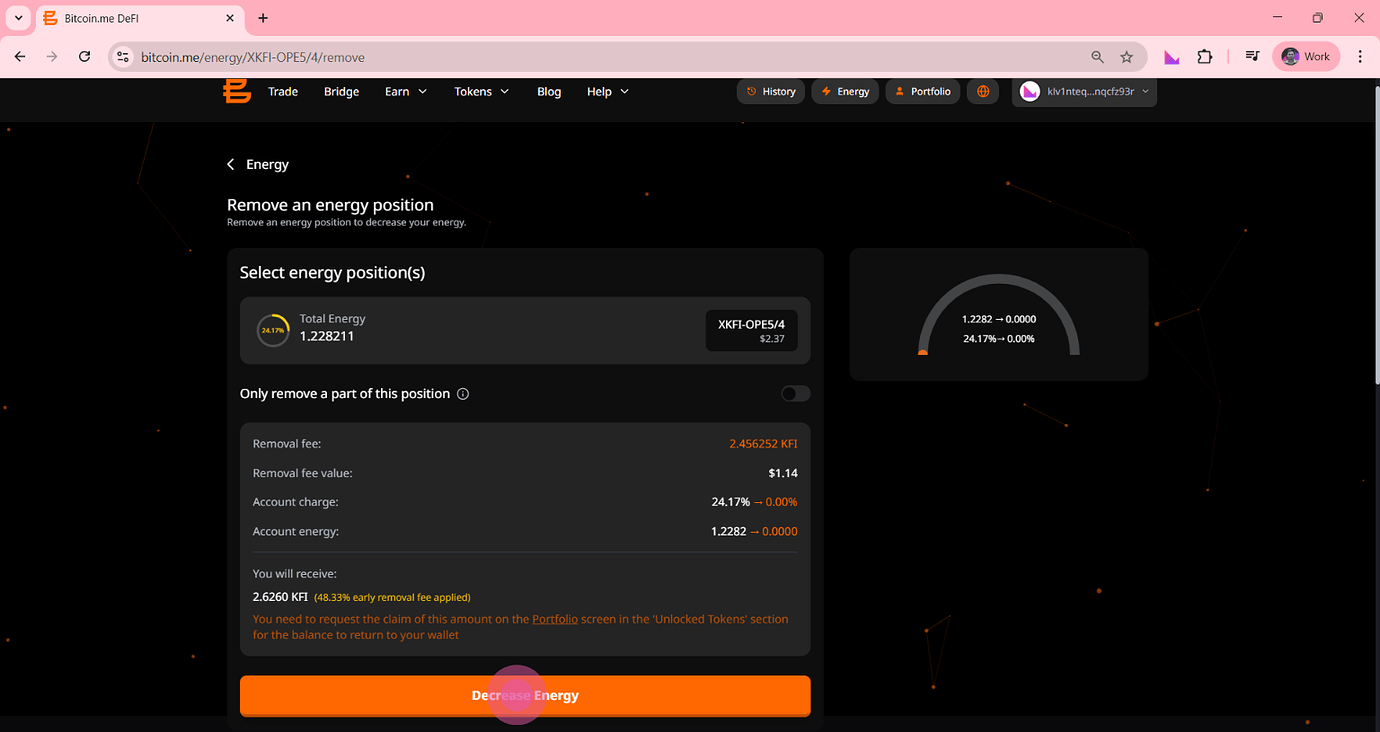
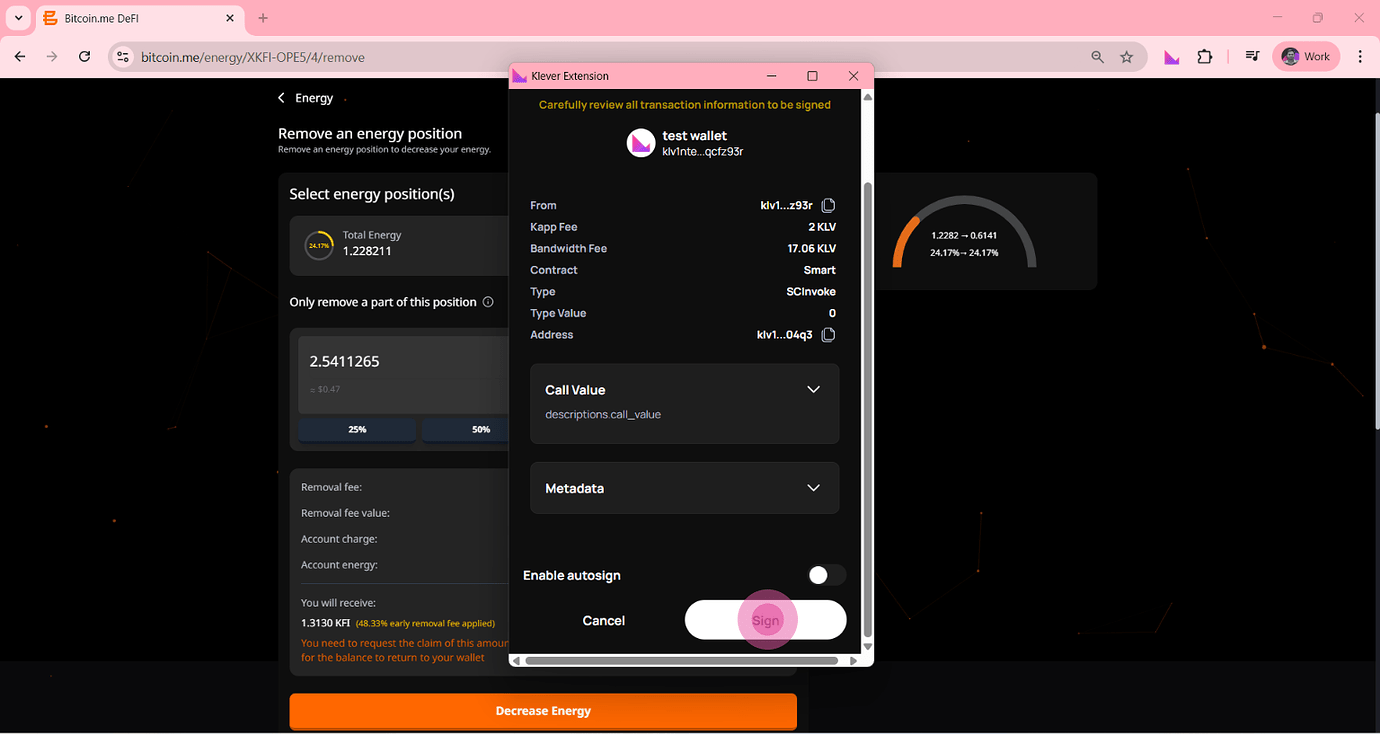
Step 5: Confirm the Removal
Your Klever Extension will open again.
Click:
Sign
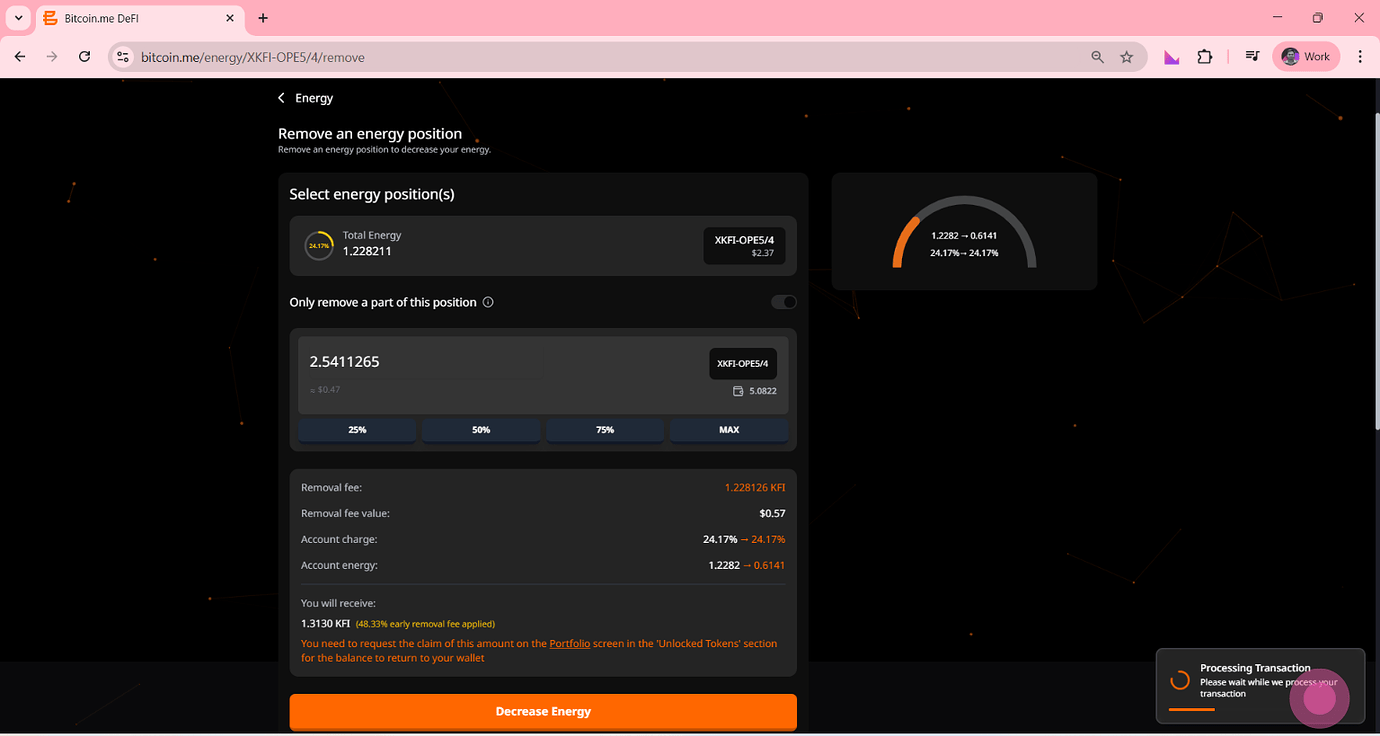
This finalizes the removal request.
After the waiting period (10–11 days), your tokens will be fully unlocked and available in your Portfolio.
Why Use Energy on Bitcoin.me?
Using Energy is one of the most powerful ways to participate in the Bitcoin.me ecosystem.
Benefits include:
Weekly rewards
Increased account efficiency
Long-term ecosystem participation
Passive earning potential
Full self-custody of your assets
Start Using Energy Today
Whether you're a long-term holder or an active DeFi user, managing Energy helps you maximize your participation in the ecosystem.
Lock tokens. Earn rewards. Stay in control.