Connecting your wallet is the first step to unlocking everything DeFi has to offer — and on Bitcoin.me, this process is fast, secure, and fully non-custodial.
With the Klever Extension, you can trade, stake, and manage your crypto assets directly from your browser — always keeping full control of your funds.
In this guide, you’ll learn how to connect your Klever Extension to the Bitcoin.me DEX in just a few simple steps.
🚀 Why Connect Your Klever Extension?
Before we start, here’s what you unlock once connected:
✅ Trade tokens directly on the DEX
✅ Access liquidity pools and DeFi tools
✅ Keep full ownership of your crypto (self-custody)
✅ Seamless Web3 experience inside your browser
🔗 Step-by-Step: Connect Klever Extension to Bitcoin.me
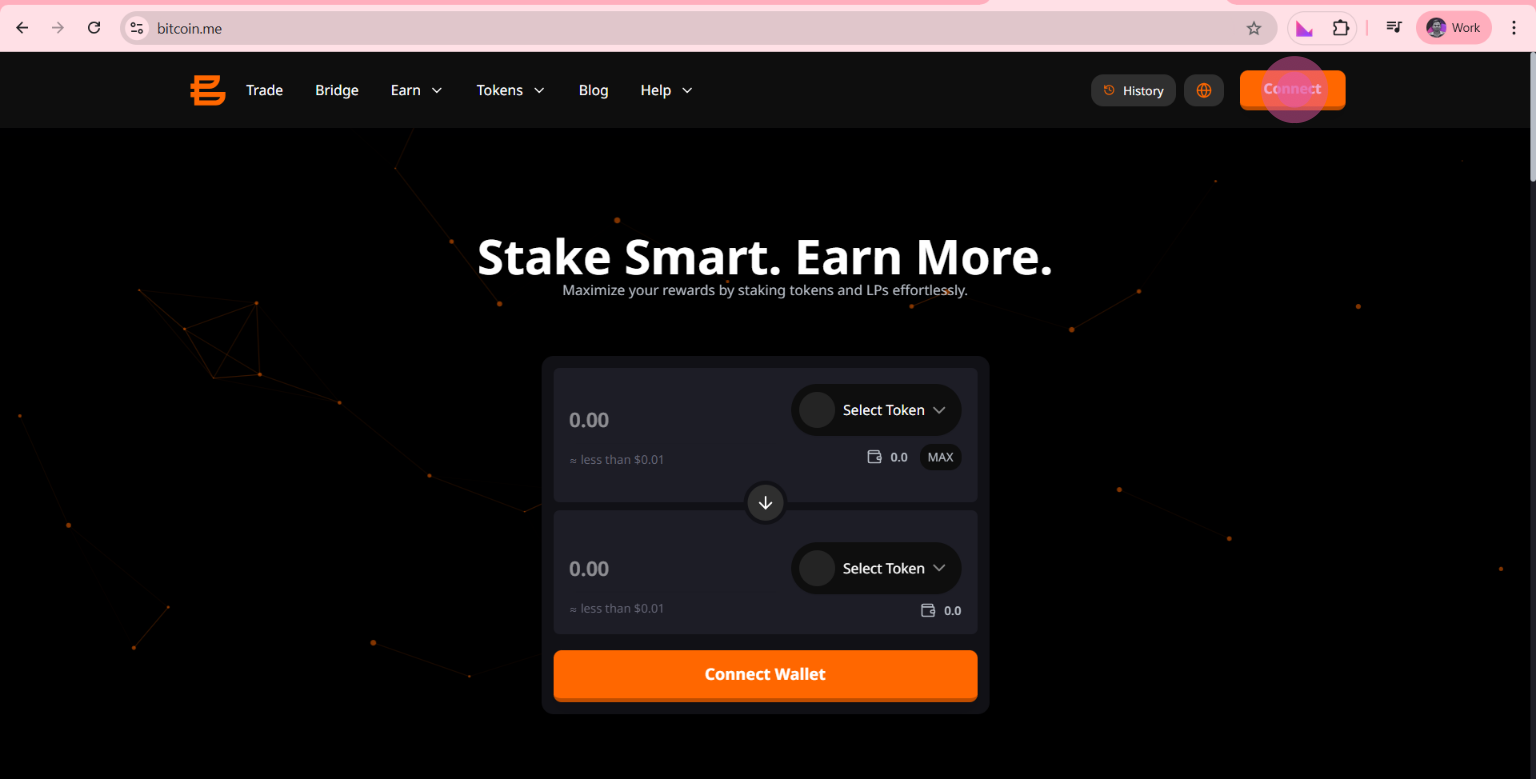
Step 1: Click on “Connect”
Go to the Bitcoin.me DEX platform.
In the top right corner, click the orange “Connect” button.
Step 2: Choose Klever Extension
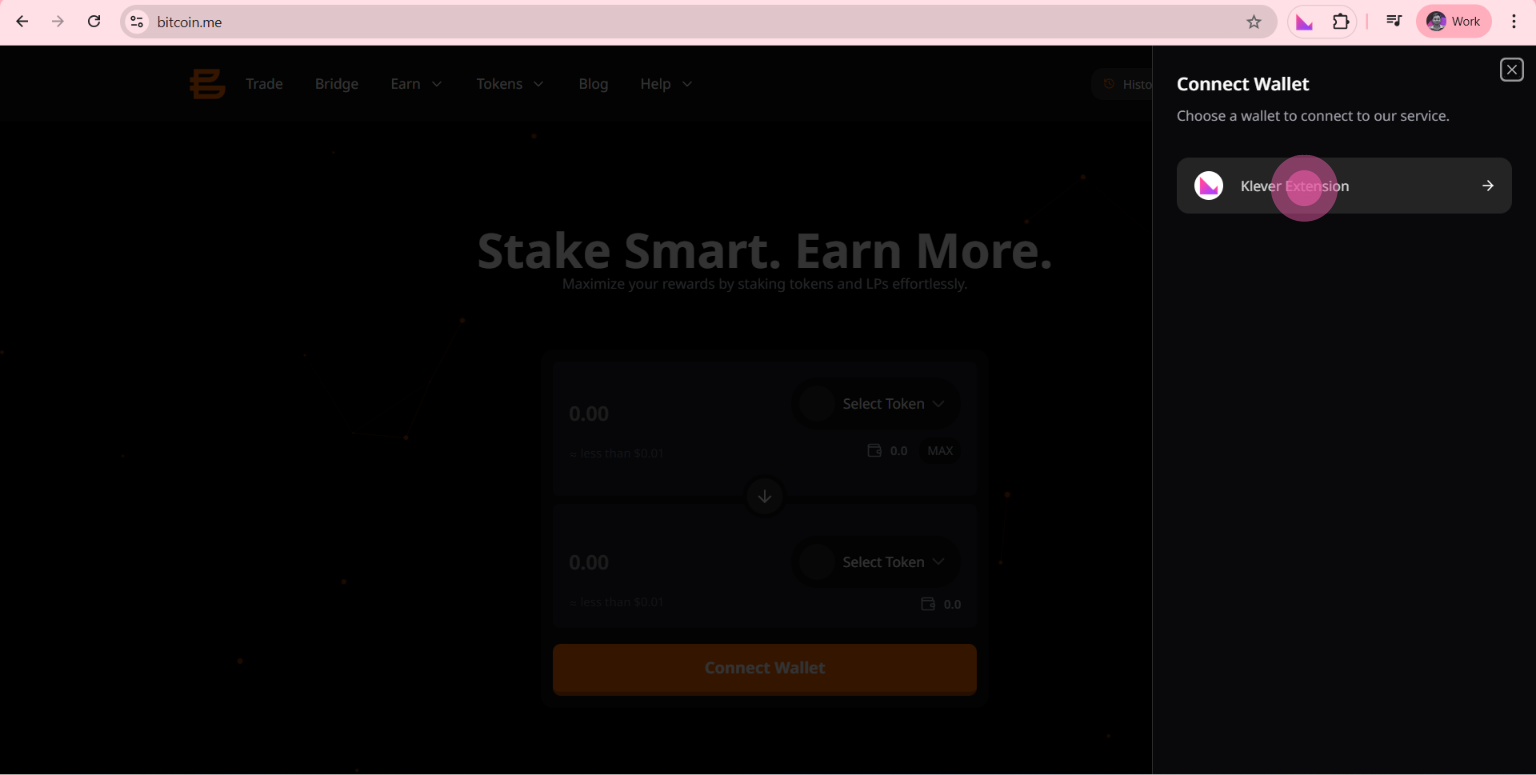
A wallet selection panel will appear on the right side of your screen.
Select “Klever Extension” to continue.
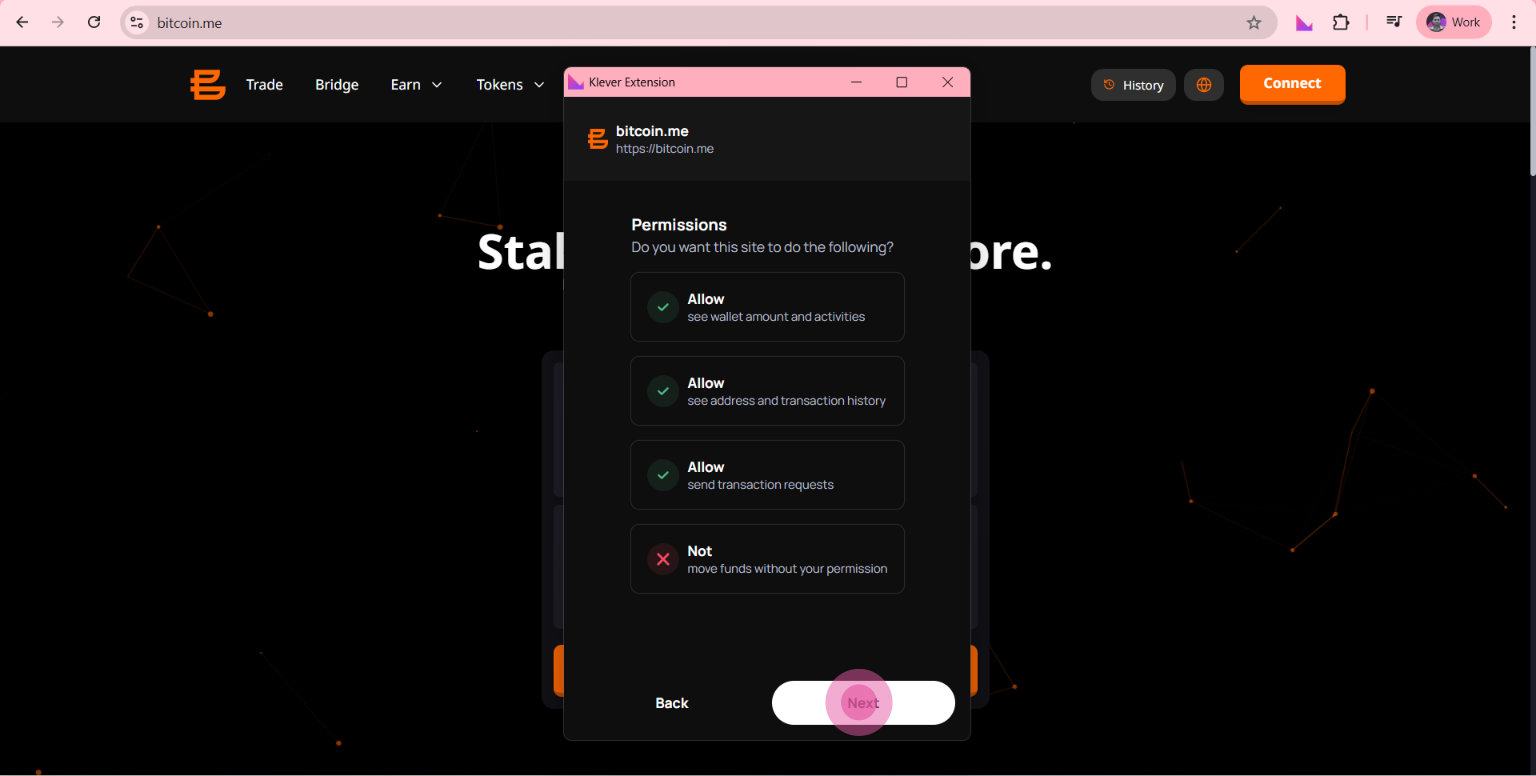
Step 3: Approve the Connection
A popup from the Klever Extension will appear.
You’ll see the permissions being requested, such as:
Wallet address access
Balance visibility
Transaction history
Review the information and click “Next” to approve.
Step 4: Confirm Connection
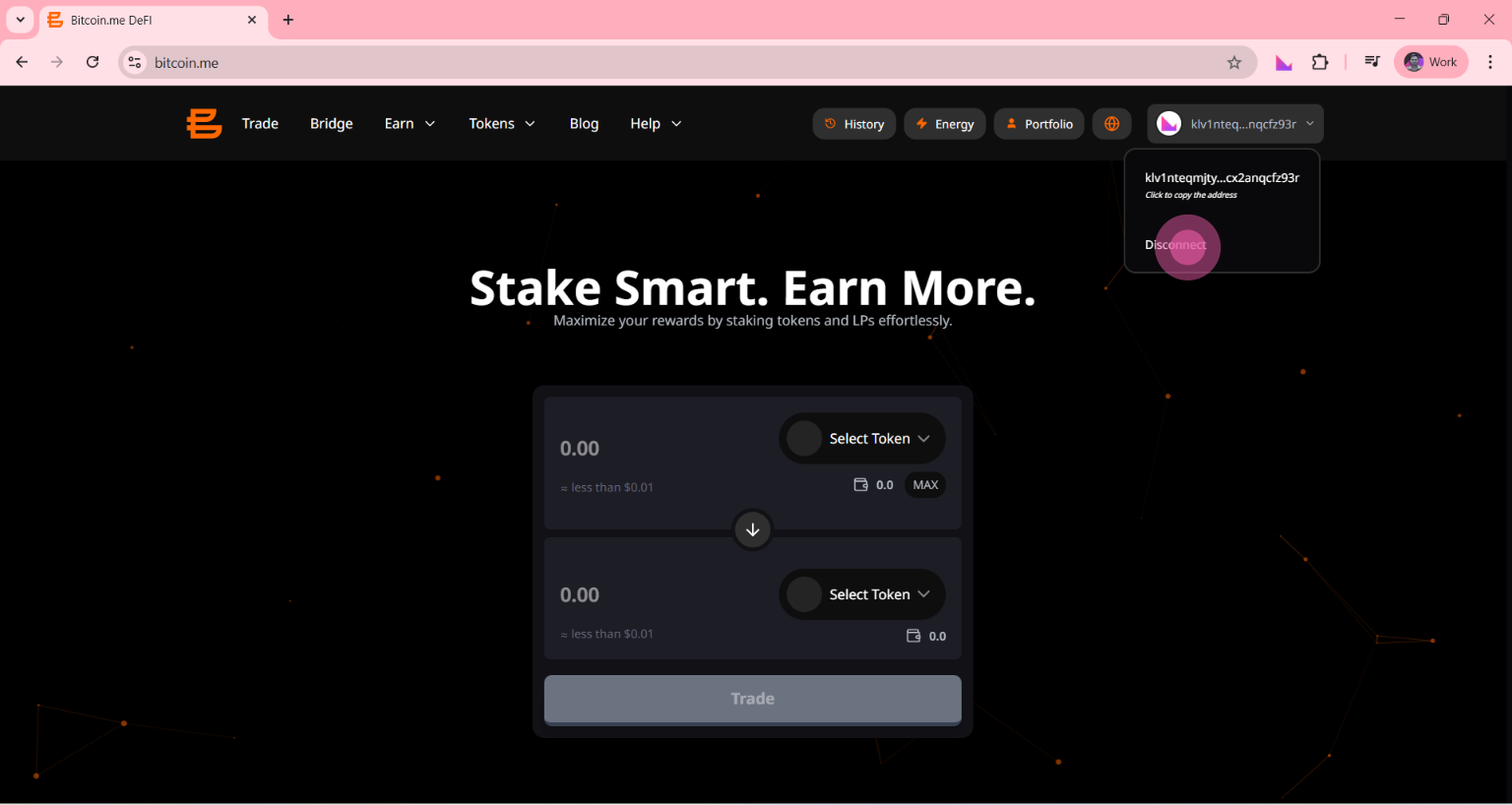
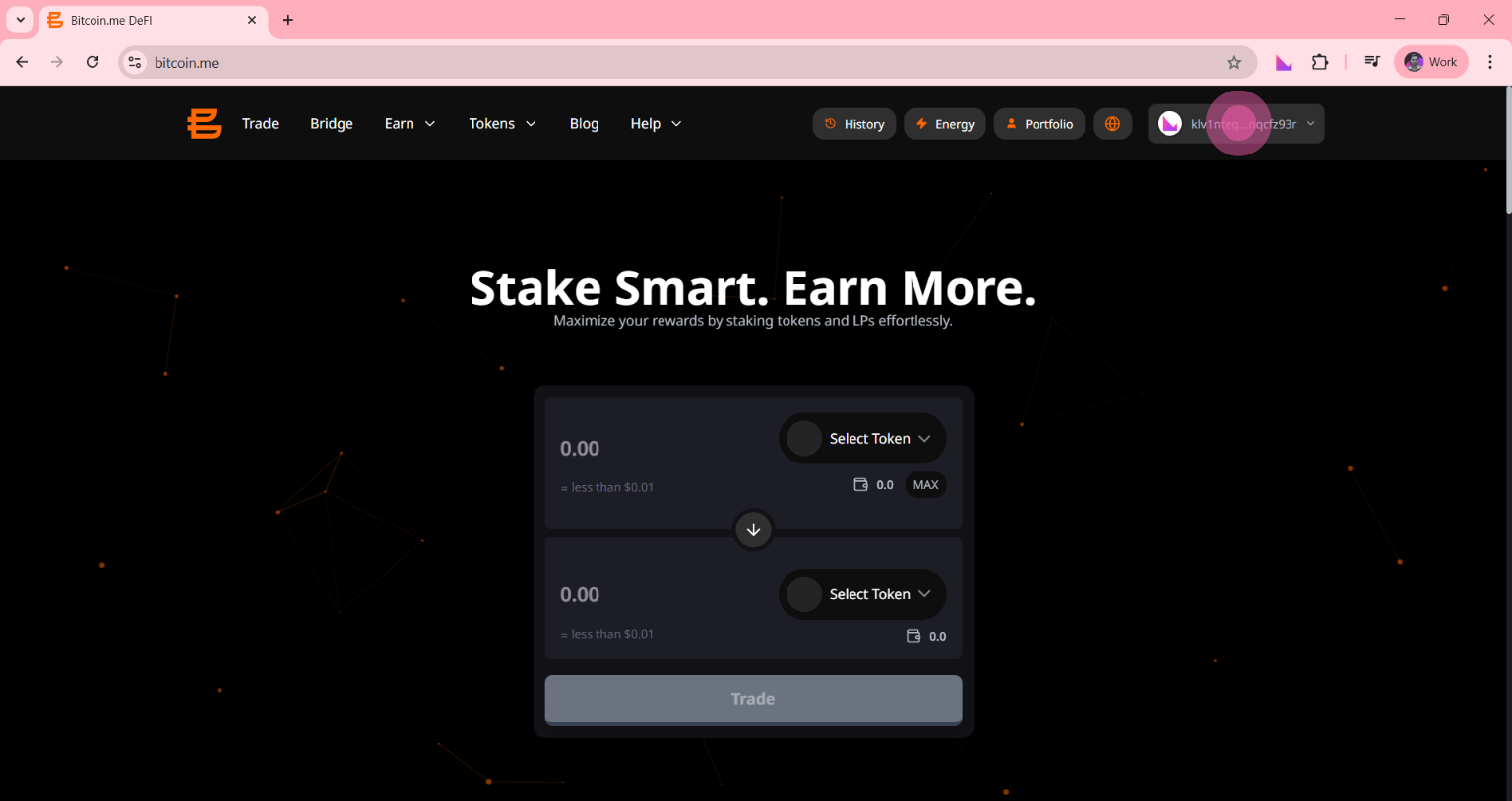
Once connected, your wallet address will appear in the top right corner (e.g., klv1...).
This confirms your wallet is successfully linked to Bitcoin.me.
🔌 How to Disconnect Your Wallet
Finished your session?
Disconnecting is just as simple:
- Click on your wallet address (top right corner)
**Select “Disconnect” from the dropdown menu
**